
When ergonomic keyboards are discussed, the conversation often jumps quickly to fully split designs - two independent halves, adjustable distance, tenting, and maximum configurability. These boards make sense: true splits provide the highest degree of geometric freedom.
But there is a quieter category in between: semi-split keyboards. They remain a single piece while introducing separation and angling that subtly influences hand positioning and movement patterns. They correct the largest geometric mismatches without adding complexity.
This article focuses on the design, ergonomic benefits, and trade-offs of semi-split keyboards.
Understanding the Baseline and Flaws
Natural Hand Position
Observing hands on a flat surface, palms are rarely perfectly parallel; a slight outward rotation occurs naturally due to shoulder width and forearm anatomy. Finger motion tends to follow an up-and-down trajectory rather than diagonal lines.
Standard rectangular keyboards, by contrast, require inward wrist deviation to reach the home row - a small, repeated strain called ulnar deviation. Over time, even the smallest misalignment can accumulate into discomfort or micro-strain.
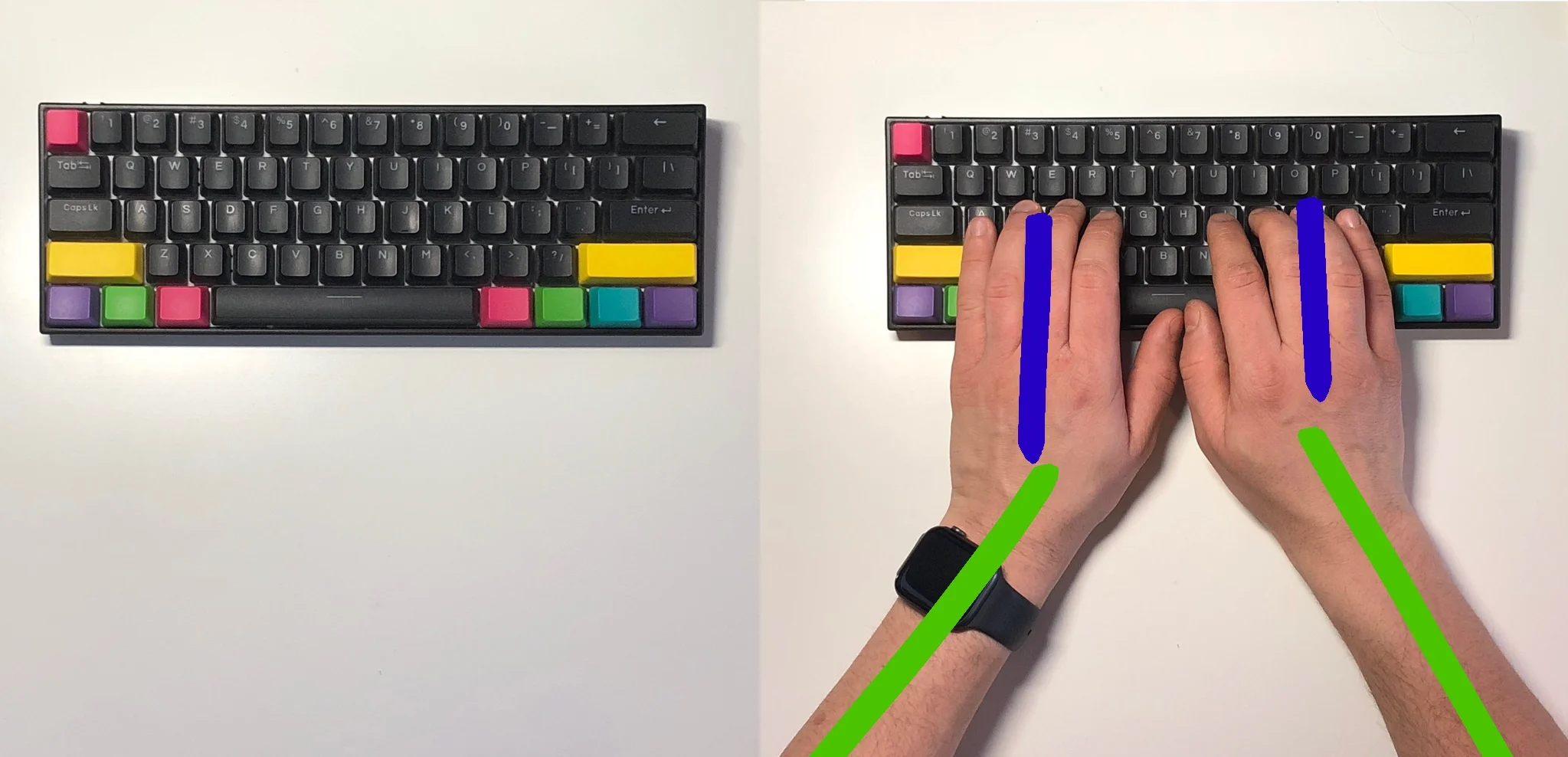
In addition, hand overlap is common: the left hand may reach into right-hand keys and vice versa. Over months or years, this reinforces compensatory patterns. These patterns constitute the primary ergonomic flaws of standard layouts. I’ve observed this in myself and in developer friends who type quickly but still use suboptimal technique.
Semi-Split as an Alternative
Semi-split keyboards address these issues without full split adjustability:
- Clearly defined left and right hand zones
- Outward key cluster angles that reduce wrist deviation
- Physical separation discouraging cross-hand presses
- Typically column-staggered layouts that align with natural finger movement
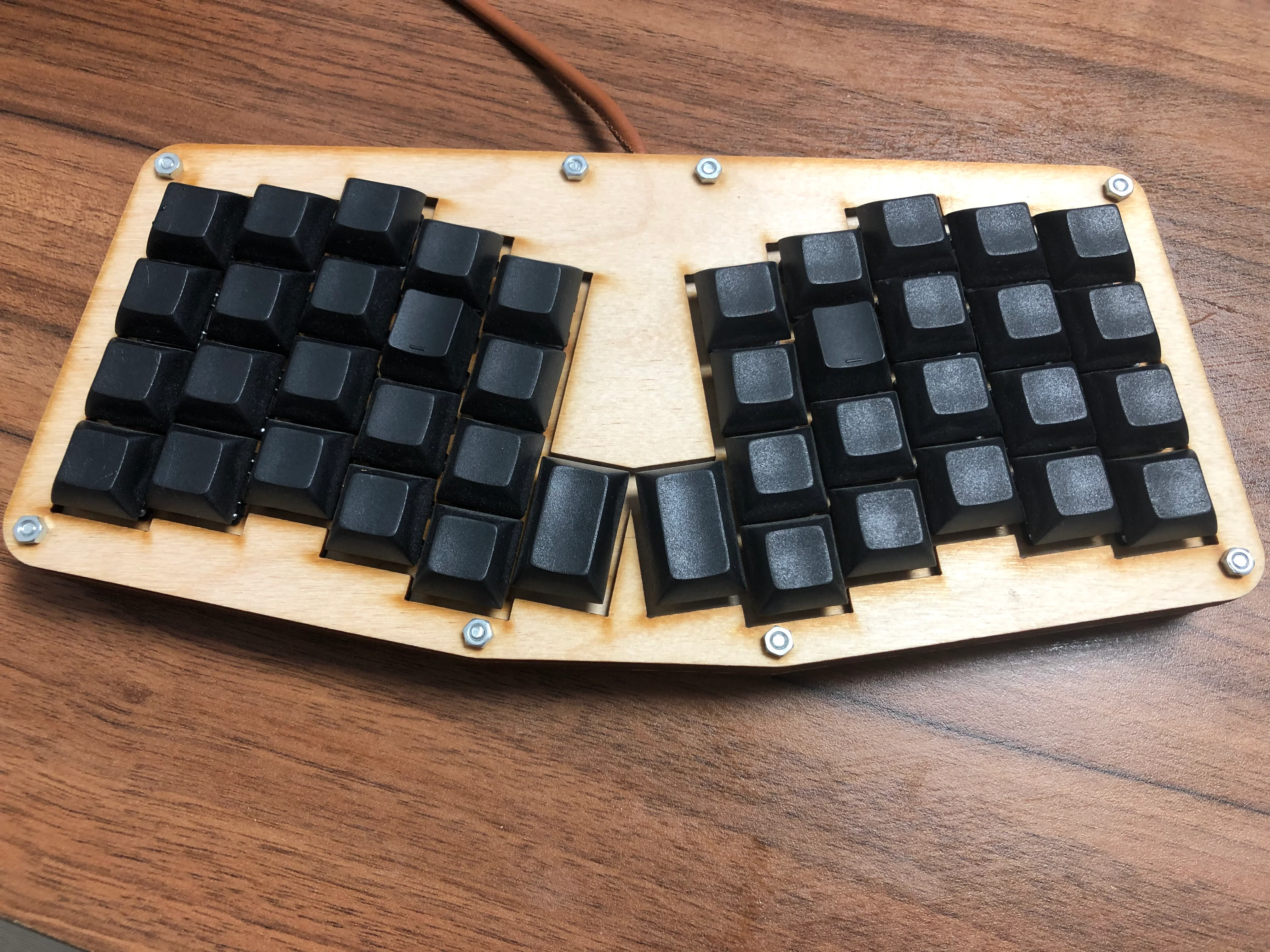
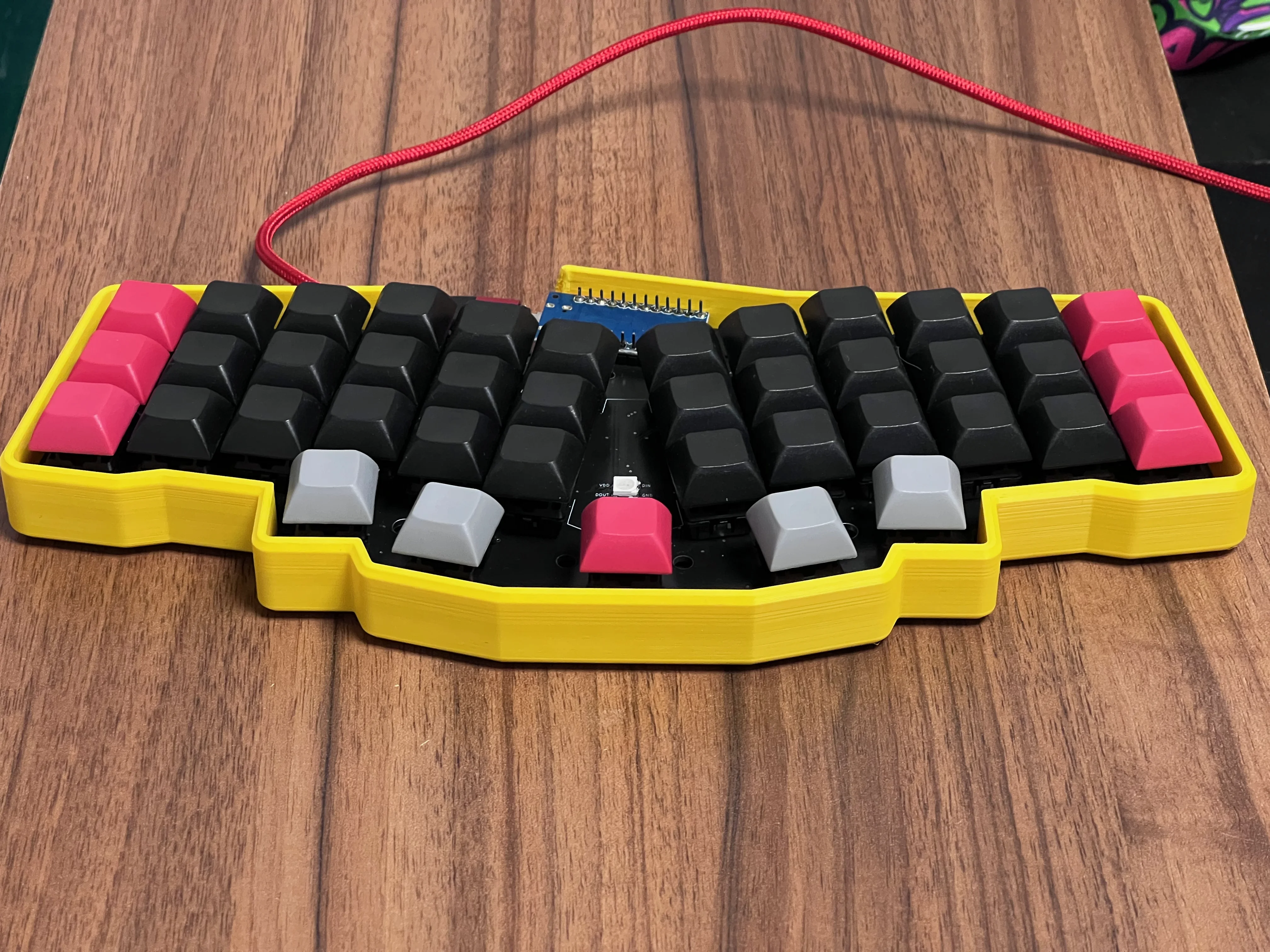
Examples include Atreus and Reviung41 variants. Rather than aiming for radical adjustability, they focus on subtle corrections that have a noticeable effect for many users.
Atreus (DIY version in plywood):
Reviung41 Keyboard
Key Ergonomic Considerations
Wrist Alignment
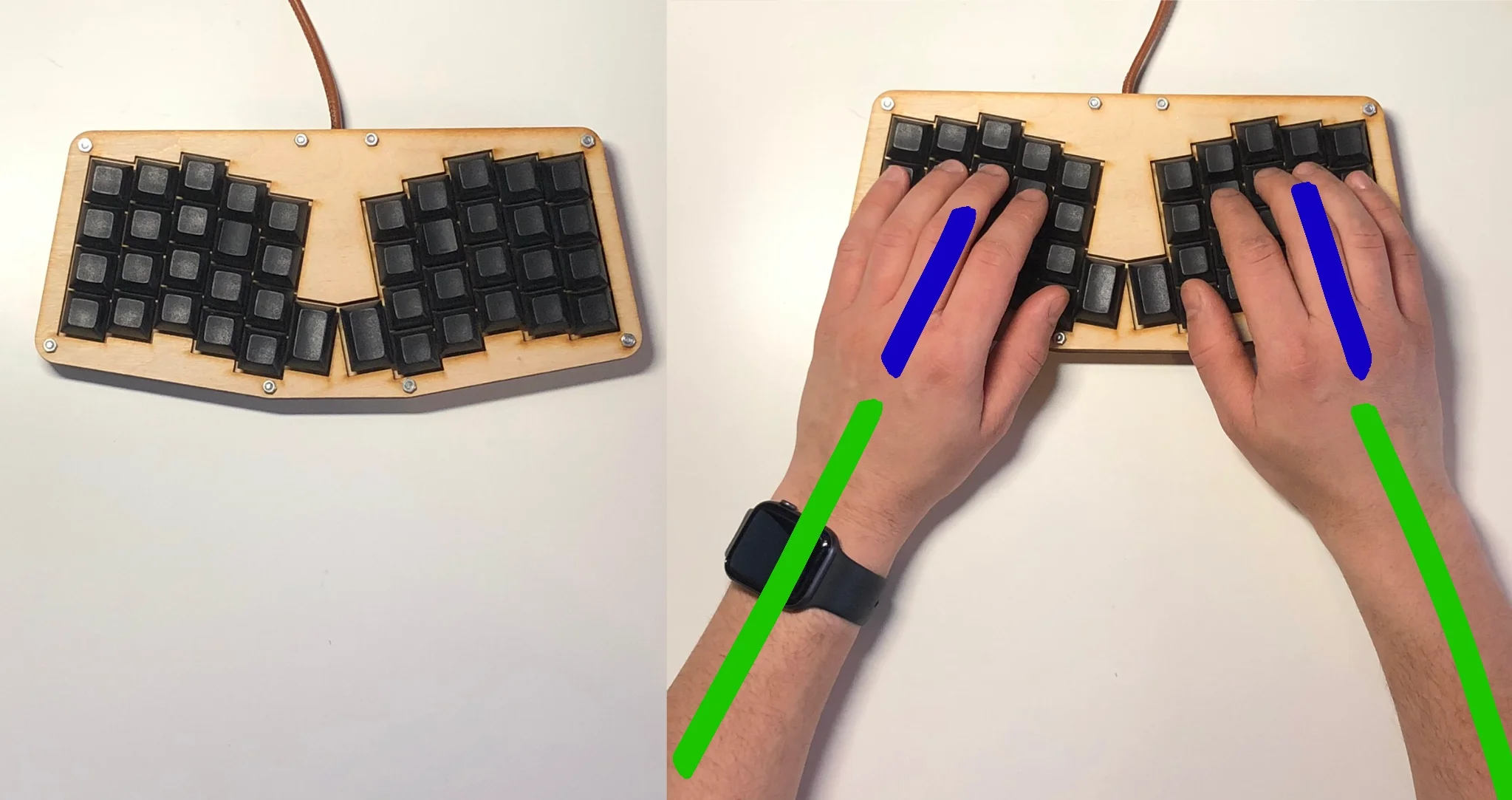
Outward-angling key clusters reduce inward wrist deviation. While not perfectly neutral, the improvement is generally observable compared to standard keyboards. These corrections work within a natural range of motion, providing benefit without requiring precise setup.
Column Staggering and Finger Travel
Column staggering aligns keys with vertical finger motion rather than the diagonal layout inherited from typewriters. Benefits include reduced diagonal reach, more consistent muscle memory, and a mechanically logical pattern after adaptation.
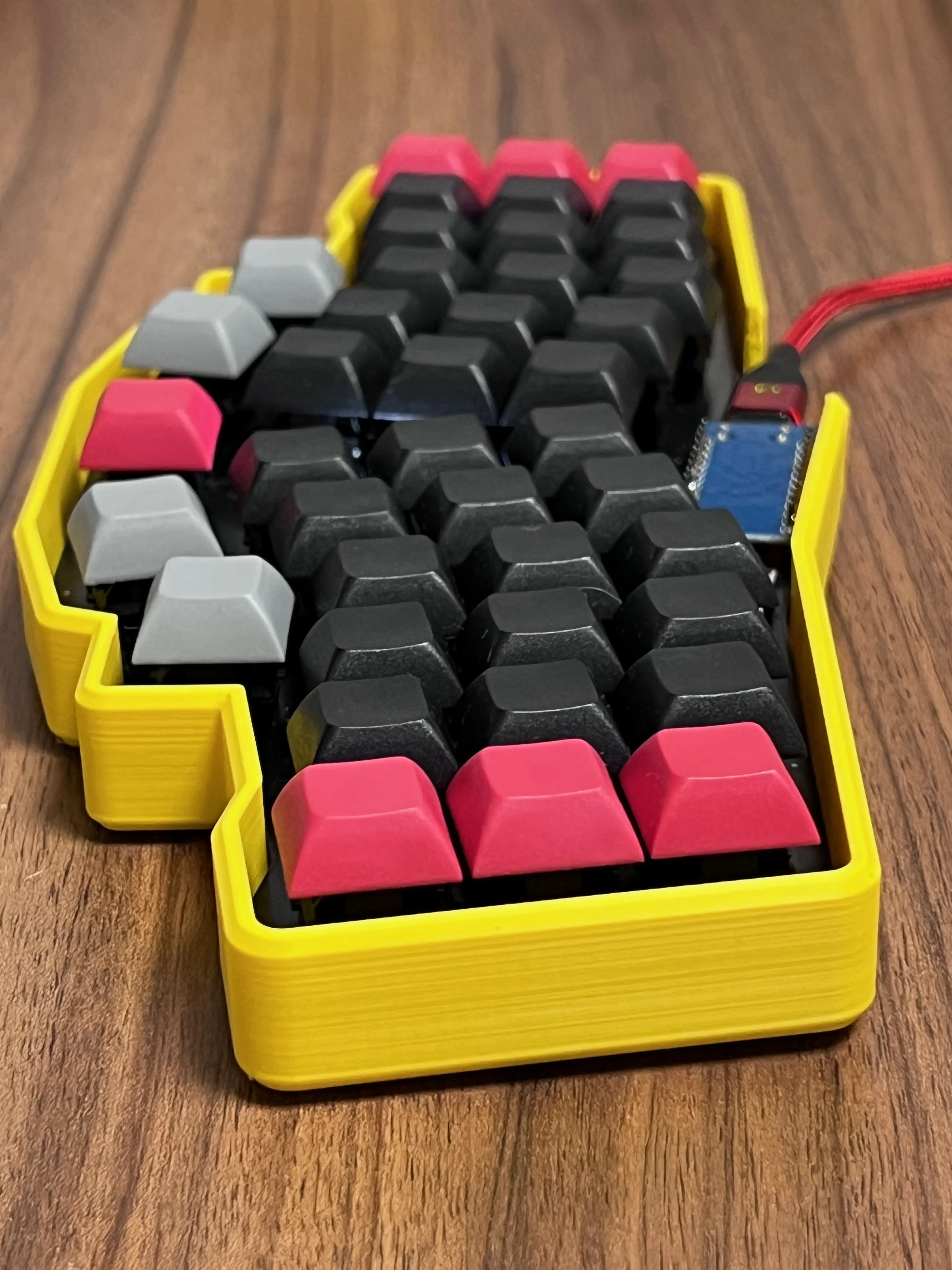
Hand Separation
Physical separation creates clearer hand boundaries. Users do not need perfect touch-typing skills to benefit: the keyboard reduces the opportunity for cross-hand presses, fostering cleaner technique with minimal conscious effort.
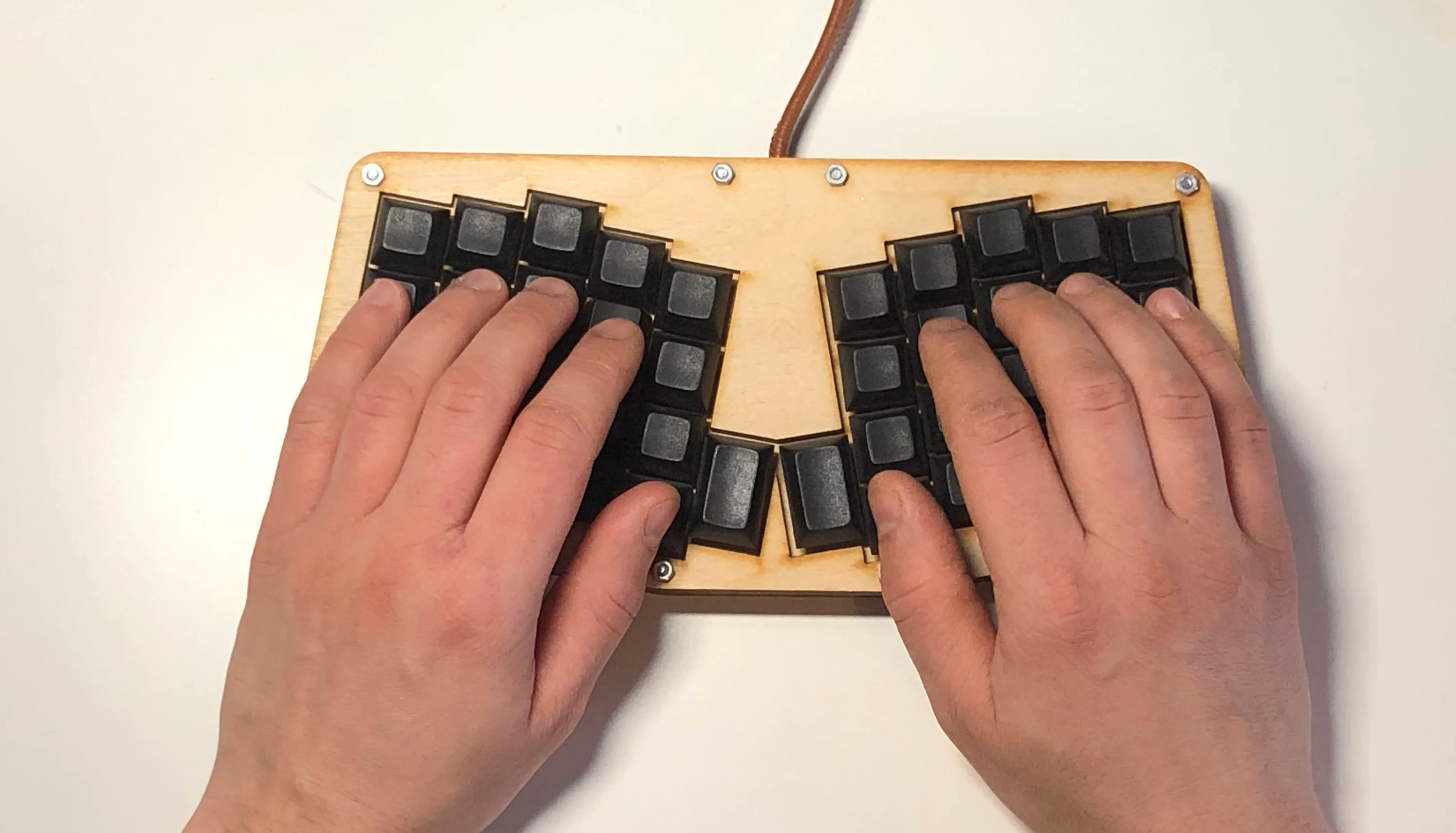
Real-World Use and Limitations
Portability and Simplicity
Unlike true split boards, semi-splits remain a single piece:
- No separate halves to manage
- No cables to connect
- Immediate desk setup
For users who move between rooms, travel, or work with laptops, this simplicity is valuable. It aligns with natural workflows without introducing setup complexity. In addition, I’ve found it easier to type on my lap. I would find it hard to use a split keyboard for lap typing; with a single-piece design, it’s easier.
Trade-Offs and Constraints
Semi-split keyboards are not a universal solution:
- Fixed width between halves
- Limited or no tenting
- No independent positioning
- Less adaptability for extreme shoulder widths
- Reduced flexibility in asymmetric injuries
A true split allows fine-tuning distance and angle; semi-splits do not. The design balances benefit with simplicity, leaving the user to decide whether these constraints are acceptable.
Comparing Popular Semi-Split Designs
Atreus vs Reviung41
- Atreus-style boards: slightly larger key count, gentler transition from standard layouts, lower reliance on layers.
- Reviung-style boards: more aggressive curvature, fewer keys, higher reliance on layers.
Both share the philosophy: improve wrist alignment, enforce hand separation, remain compact. The difference lies in how minimal or transitional the layout should be.
Who Might Benefit
Semi-splits suit those who:
- Want wrist improvement without managing two halves
- Value portability
- Desire clearer hand separation
- Are curious about column stagger but not ready for full split geometry
They may also serve as an intermediate step toward fully split layouts. Ergonomics is a gradual progression rather than a single leap. For more options, see Best Ergonomic Keyboard for Beginners.
Final Thoughts
Semi-split keyboards correct the largest geometric mismatches of standard layouts while remaining simple. They reduce inward wrist deviation, clarify hand zones, and align with natural finger motion.
They also limit fine-tuning options, and whether this trade-off is acceptable depends on anatomy, workspace, and workflow. Observation, incremental testing, and gradual adjustment are key: the tool should adapt to the human, not the other way around. I can recommend a semi-split as a first ergonomic keyboard: it combines three major benefits that can improve your typing experience and hand health.
Related Reading
- Split Keyboards
- Column Staggered Keyboards
- What Are Ergonomic Keyboards?
- Best Ergonomic Keyboard for Beginners
Support
If these analyses are useful, you can support further long-term testing and writing.
Thanks for reading.
Bartosz